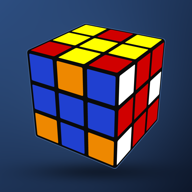
EaseCube
Learn to solve the cube, step by step
From your first solve to CFOP: lessons for the beginner's method and CFOP, every algorithm with a picture and playback, and a solver that shows the full solution for your own scramble. On iPhone, iPad and Mac.
Screenshots
iPhone


iPad


Mac


What's inside
-
Solver
Type a scramble, or colour in your cube by hand, and see the full CFOP solution: cross, F2L, OLL and PLL, played turn by turn.
-
Lessons
Start with the beginner's layer-by-layer method, then CFOP. Every algorithm in the lessons can be played on the cube.
-
Algorithms
F2L, 4LLL, OLL and PLL, grouped by shape, each with a picture of the case, the move count and playback.
-
Timer
Hold to start, 15-second inspection, +2 and DNF, best single, ao5 and ao12. Open any solve on the Solve page.
-
For everyone
Colour-blind-friendly letters, adjustable text size, VoiceOver labels and custom cube colours, in seven languages.
-
Private
No accounts, no ads, no tracking. Everything stays on your device, and the app works offline.
EaseCube Pro
A one-time purchase that adds the camera scan, the Roux and ZZ lessons, COLL, ZBLL and CMLL algorithms, and ao100 and best averages in the timer. The beginner's method, CFOP and all settings stay free.